
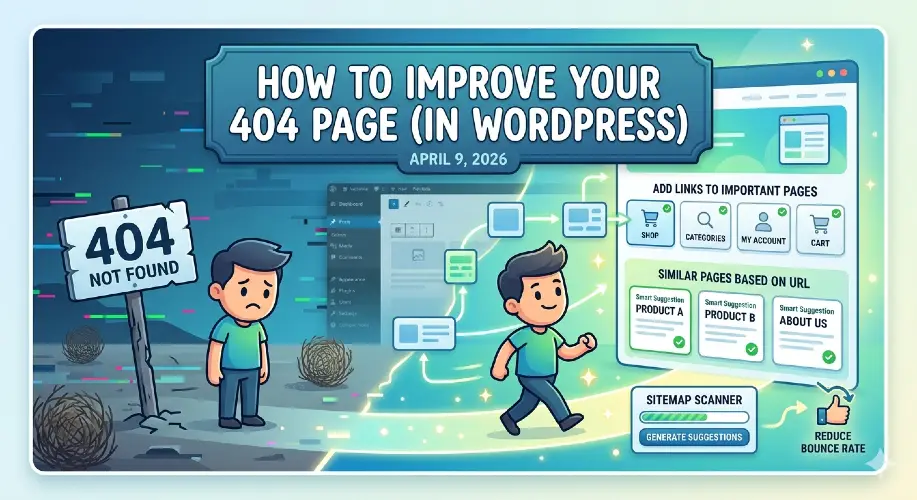
Most WordPress themes have a generic 404 page. When a user lands on one, they get lost and leave.
That’s a lost conversion, a user that could have bought your product, but left too soon.
Read this article to figure out how you can improve your 404 page to reduce bounce rates and keep visitors on your site.
Essential Features for an Effective 404 Page
These are the best practices of 404 pages. Implementing these features will improve your seo and improve user experience.
Search Bar
If your 404 page does not already have a search bar, this is an essential feature to add. It allows users to find pages on you website themselves and find what they’re looking for with greater accuracy.
Here are the steps to add a search bar to your 404 page, on desktop:
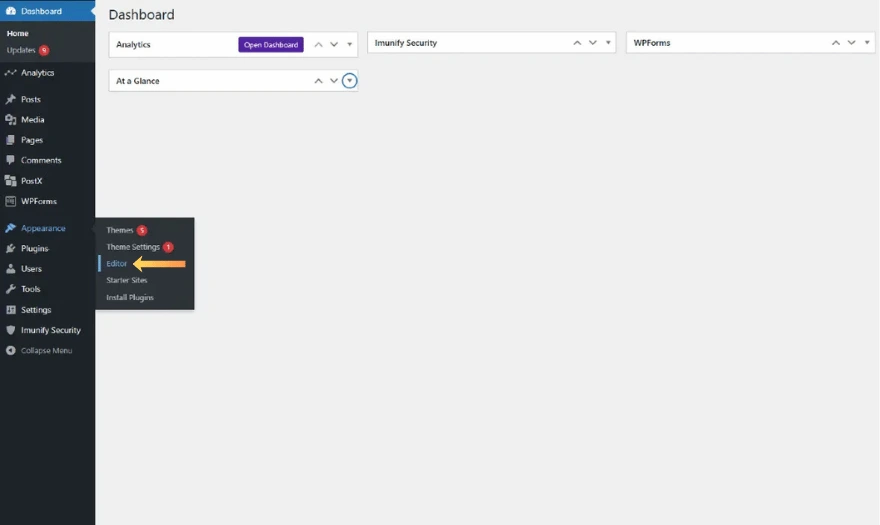
In the left sidebar, hover on ‘Appearance’ and click on ‘Editor’.
You will be brought to a page with a left sidebar with the following items:
- Styles
- Navigation
- Pages
- Templates
- Patterns
Click on ‘Templates’ and find your 404 page template. Click on it.
In the top-left corner, locate the blue + button and click it. In the search bar, type ‘Search’ and click on the result that appears.
Once you insert the block, there are several options you can configure:
- Show Label: Shows the label above the search bar, ‘Search’.
- Use Button With Icon: Uses a search icon instead of the text ‘Search’ in the button at the right side.
- Width: Determines the width of the entire search bar.
- Styles: Click on the black and white circle icon to configure colors, sizes, and more.
Links to Important Pages
Links to the key pages of your website are good way to guide them to the section of your site where they want to be.
Some good pages to link to include:
- Popular Content
- Contact Page
- Main Services
Similar Pages Based on URL Section
While links to important pages are great, similar pages are even better. By scanning your sitemap, this feature provides the user with pages on your site that have close URLs to the one they entered.
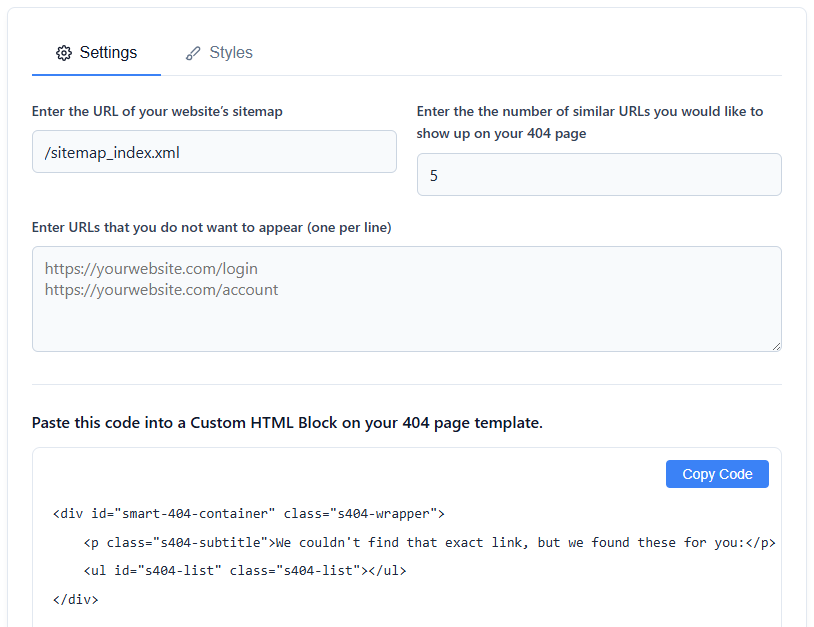
If you’re not a coder, there’s no need to worry. I built a completely free, private tool that does just that. Check it out for yourself at https://everythingarticles.com/smart-404-suggestion-tool/.
Key Features
- Number of URLs: Choose the number of recommendations the user is given.
- Exclude URLs: Prevent specific URLs from showing up.
- Color Styling: Change the color of the title for the page, the url for the page, and the card background color to match your site’s aesthetic.
How to Use the Generator:
- Enter Sitemap: Paste your full sitemap URL (e.g.,
https://example.com/sitemap_index.xml). - Configure: Choose how many links to display and exclude any sensitive URLs.
- Style: Use the color pickers to align the cards with your site’s UI.
- Embed: Copy the generated code and paste it into a Custom HTML block on your site’s 404 template.
What Not to Do (Avoid These)
Now that I’ve covered what you should do, I’ll move on to what you should avoid doing.
Redirect Everything to Home
While redirecting users to your homepage seems convenient, it’s actually harmful to user experience. Here’s why:
- Confuses Users: When users expect specific content, only to land on your homepage with no explanation, they are confused. This leads to even higher bounce rates.
- Hides Broken Links: Redirecting stops you from seeing broken internal links, preventing you from fixing them, degrading the quality of your site.
- SEO Penalities: Google, as well as other search engines, interpret automatic 301 redirects to the homepage as “soft 404s” (where a page returns 200 OK instead of 404 Not Found), leading to poor crawling efficiency and lower search rankings.
Overdo Humor
A little humor is good, but more than that is not. Here are some way’s it can be damaging:
- It Ignores User Frustration: When users are trying to complete a task, landing on a 404 page with a bunch jokes can be annoying.
- It Can Cause Confusion: Over-the-top humor can leave the user wondering whether they are still on the same website or if the site is broken, leading to high bounce rates.
- It Hinders Functionality: The purpose of a 404 page is to guide the user back to functional pages. Too many jokes can prevent the user from finding what they need.
Conclusion
Optimizing your 404 page is important. It can be the difference between users leaving your site and buying your product. When you do those those things and avoid doing other things, you can say goodbye to high bounce rates and user abandonment.